National Institute of Standards and TechnologyMetric Kitchen: Cooking Measurement EquivalenciesUsed for defined measurement guidance or public food-safety guidance where applicable.
Open source ↗Recipe Converter
Import, paste, type, or speak a recipe, then change servings, convert measurements, review pan and appliance settings, compare the result, and cook from a step by step Recipe Lab workspace. Uncertain ingredient lines stay visible instead of receiving guessed conversions.
Works when the public page exposes standard Recipe structured data. No account is required.
Recipe Lab
Paste once
Read the recipe once, then change servings, measurements, pans, oven mode, and air fryer settings from one workspace. Bread recipes can also show hydration and baker's percentage insights when enough measurable data is available.
Private browser workspaceYour active recipe stays in browser session storage. Recent Recipes are only stored longer when you explicitly choose Save to recent, and recipe text is never placed in the page URL.
What a useful recipe converter should change
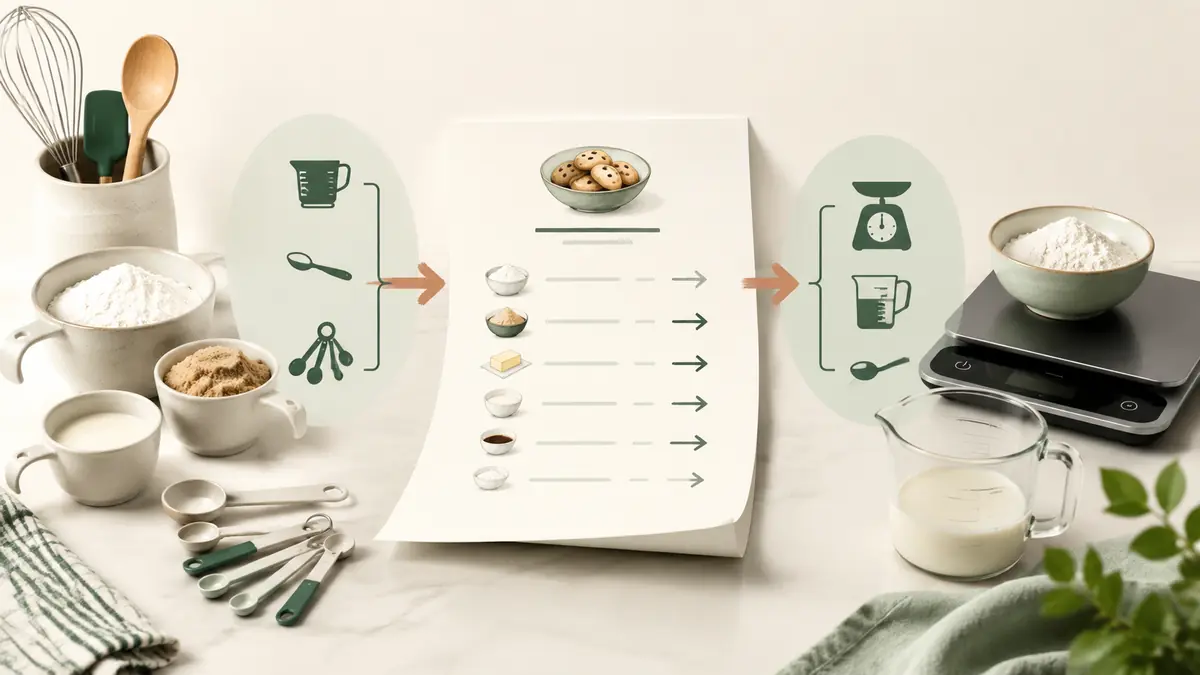
A recipe converter should change measurements without changing the meaning of the recipe. If a cake uses 2 cups all purpose flour, 1 1/2 cups sugar, 1/2 cup butter, 3 eggs, and 1 cup milk, a US to metric recipe converter should know that these ingredients do not all need the same type of conversion. Flour, sugar, and butter can use ingredient specific weight references. Milk is usually practical in milliliters. Eggs normally stay as counts.
A good recipe measurement converter also keeps preparation notes. “Sifted,” “packed,” “divided,” “melted,” “finely chopped,” and “for the topping” can change the meaning of an ingredient line. The converter should not strip those details just because the quantity or unit changes. The goal is a recipe you can still cook from, not a list of disconnected numbers.
Unknown lines are better preserved than guessed. A recipe may say “a handful of parsley,” “oil for frying,” or “salt to taste.” Those phrases do not need a fake gram or teaspoon value. KitchenMathHub keeps the original wording visible so you can make the final kitchen decision yourself.
Use Recipe Lab to make several recipe changes in one place
Recipe Lab keeps your recipe in one working space while you make different kinds of changes. After the recipe is read, you can change servings, switch between US and metric measurements, enter your real baking pan sizes, change oven mode, or create an air fryer starting plan. Each choice stays visible so you can see what was applied before you copy or print the result.
Review ingredient matches before weight conversion
Ingredient review helps when a cup measurement needs the right food reference. If the parser recognizes a flour, sugar, butter, cocoa, oat, or another supported ingredient incorrectly, you can choose the correct ingredient without editing the original recipe text. The selected match then controls ingredient-aware mass conversion for that working recipe.
Use bread insights only when the recipe contains enough data
Bread math appears when measurable flour is present. If the recipe also contains measurable water, Recipe Lab can estimate hydration. Salt and starter values can add more context, including salt percentage and prefermented flour when the starter amount is measurable. For deeper formula work, the dedicated Sourdough Hydration Calculator and Baker's Percentage Calculator remain available.
Import, save, compare, share, and cook from one Recipe Lab workspace
Import a recipe URL when the page provides structured recipe data
Recipe URL import works best on pages that publish standard Recipe structured data. Enter a public recipe page URL and KitchenMathHub looks for the recipe title, yield, ingredient list, and instruction steps supplied in that structured record. The imported text is placed in the same editable box used for pasted and spoken recipes, so you can review it before any conversion begins.
A failed import should not turn into a guessed recipe. Some websites do not expose Recipe structured data, some block automated requests, and some publish incomplete recipe records. In those cases, KitchenMathHub asks you to paste or speak the recipe instead. This keeps the converter from silently dropping an ingredient, inventing a cooking step, or treating navigation text as part of the recipe.
Importing a URL does not create a public copy of the recipe on KitchenMathHub. The URL is used to retrieve the public recipe data needed for the import request. The working recipe then follows the same browser workspace rules as text you paste yourself.
Save only the recipes you want to keep in this browser
Recent Recipes are saved only when you press Save to recent. KitchenMathHub stores the original working text in local browser storage so you can reopen it later on the same browser and device. It does not require an account, email address, or cloud recipe library.
You remain in control of the recent recipe list. Individual recipes can be removed, and the complete list can be cleared from Recipe Lab. Clearing browser site data can also remove locally saved recipes. This makes Recent Recipes useful for repeat conversions without making permanent storage the default.
Save the original recipe rather than a chain of rounded outputs. When you reopen a recent recipe, Recipe Lab parses the original text again and applies new transformations from that base. That supports the same no-drift approach used by serving, unit, pan, oven, and air fryer changes.
Compare original and current values before you cook
The Compare tab is designed for verification, not decoration. Each recognized ingredient can be reviewed as an original line beside its current converted line. If 2 cups of all purpose flour became 240 g, or 1 1/2 cups became 360 g after a serving change, the relationship remains visible instead of being hidden behind a final recipe card.
Instruction comparison matters when the cooking method changes. Switching oven mode or applying an air fryer plan can alter temperature wording, time ranges, and check points. The Compare view keeps the original instruction beside the current instruction so you can decide whether the adaptation makes sense for your food and appliance.
Share the converted text without publishing a recipe URL
Share Recipe sends the current converted recipe through the browser or device share interface when that feature is available. This is useful for sending the result to a family member, a notes app, a messaging app, or another device. If the share interface is unavailable, the tool falls back to copying the recipe text where possible.
The share feature does not need a public KitchenMathHub recipe page. Recipe text is not placed into the page URL just to make sharing work. That avoids extremely long links and keeps a private working recipe from becoming an indexable page by accident.
Use Kitchen Mode after the numbers are settled
Kitchen Mode turns the current converted instructions into a one-step-at-a-time cooking view. Large text reduces the need to scan a long recipe while your attention is on a pan, mixer, oven, or stovetop. Previous and Next controls let you move through the method, while an ingredient panel remains available when you need to check an amount.
Read step aloud is optional and depends on browser speech synthesis support. When supported, KitchenMathHub can speak the current instruction and can continue reading each new step after you enable automatic read-back. The written instruction remains the primary source, so the recipe is still usable when speech synthesis is unavailable, muted, or unsuitable for the kitchen environment.
Kitchen Mode uses the transformed recipe, not the untouched original. If you changed 8 servings to 12, converted measurements to metric, or applied an oven or air fryer adjustment, the cooking view follows the current result. Review the Compare tab first when a transformation affects a safety-sensitive temperature, cooking time, or unfamiliar appliance method.
Convert an American recipe to metric with ingredient context
Dry ingredients often work best in grams
Flour cups to grams needs an ingredient reference, not a universal cup multiplier. KitchenMathHub uses 120 g per US cup for its default all purpose flour reference. Two cups therefore convert to about 240 g. Granulated sugar uses a different reference, so the same 2 cup volume does not become the same gram weight. This ingredient aware method is more useful for cakes, cookies, bread, pastry, and other recipes where weight can improve repeatability.
Ingredient state can matter when a volume measure becomes weight. Packed brown sugar, sifted powdered sugar, chopped nuts, sliced ingredients, and other prepared states may have different volume to mass relationships. The converter uses a recognized ingredient and variant when a validated reference exists. If the exact state is uncertain, the original wording should remain visible so the conversion does not look more precise than the data supports.
Liquids usually work best in milliliters
Liquid volume can usually stay a volume when you convert a recipe to metric. One US culinary cup is about 240 mL for practical cooking. One US tablespoon is about 15 mL, and one teaspoon is about 5 mL. This makes water, milk, broth, juice, oil, and extracts easy to use in a metric kitchen without forcing every liquid into grams.
Ounces and fluid ounces must stay separate. An ounce is a mass unit. A fluid ounce is a volume unit. Eight ounces of cream cheese and 8 fluid ounces of milk describe different dimensions. A recipe unit converter should identify the actual unit before it applies any calculation.
US to metric recipe conversion examples
| Original recipe line | Practical metric result | Why |
|---|---|---|
| 2 cups all purpose flour | about 240 g | Ingredient specific weight reference |
| 1 cup milk | about 240 mL | Liquid volume stays a practical volume |
| 3 eggs | 3 eggs | Count stays a count |
| 350°F oven | about 180°C practical setting | Cooking temperature convention |
| Salt to taste | Salt to taste | No numeric amount to convert |
Scale and convert a recipe in the same workflow
Example: change 8 servings to 12 and convert to metric
Eight servings to twelve servings uses a 1.5x recipe multiplier. The converter should apply that factor to the normalized ingredient quantities before it formats the metric output. If the original recipe uses 2 cups all purpose flour, the scaled amount is 3 cups. Using the 120 g per cup flour reference, the final metric amount is about 360 g.
Scaling before final rounding keeps the recipe more consistent. Imagine an original amount of one third cup. If that value is rounded to 0.33 before scaling, then scaled again, the answer can drift. KitchenMathHub keeps a normalized numeric value through the transformation and rounds the kitchen facing amount only at the end.
Partial eggs need a practical step after scaling. Three eggs scaled by 1.5 becomes 4.5 eggs. Rather than leaving the result as an awkward count with no guidance, you can whisk one egg and measure about half by weight. For a large egg without shell, half is roughly 25 g under the reference used by KitchenMathHub.
Serving size and pan size are different decisions
A serving multiplier should not silently combine with a pan multiplier. If a cake serves 8 and you change the target to 12 servings, the ingredient factor may already be 1.5. If you also select a 9 inch pan instead of an 8 inch pan, the tool should ask whether the pan is only checking fit or whether pan geometry should drive the batter quantity. Applying both multipliers without context can produce far too much batter.
Use pan area when the real goal is similar cake height. An 8 inch round pan has about 50.3 square inches of area. A 9 inch round has about 63.6 square inches. The ratio is about 1.27. If the user is resizing the cake rather than changing servings, the Cake Pan Converter can use that geometry as the main scale factor.
Convert metric recipes back to practical US measurements
A metric to US recipe converter should return useful kitchen measures, not long decimals. If 180 g all purpose flour uses a 120 g per cup reference, the practical result is 1 1/2 cups. If a liquid converts to about 3 tablespoons, the output should not force you to measure 0.1875 cup unless that is genuinely clearer.
Fractions are often easier to use than decimal cups and spoons. One half cup, three quarters cup, 1 1/2 tablespoons, and 2 1/4 teaspoons are common measuring formats. The converter can keep exact internal values while choosing a fraction that fits real measuring tools.
Weight should stay weight when that is the clearer result. A recipe written in grams does not always need to be pushed into cups. Serious baking recipes often work better by weight because flour packing, spooning, scooping, and ingredient state can change volume measurements. The converter gives you a way to change systems, but it should not imply that cups are always more useful than grams.
Convert recipe temperatures without changing the ingredients
Fahrenheit to Celsius recipe conversion
Temperature conversion is separate from ingredient conversion. A recipe that bakes at 350°F can use about 180°C as a practical conventional oven setting. The exact mathematical conversion is about 176.7°C. KitchenMathHub keeps both ideas clear because cooks usually need a setting their oven can actually use, while the exact value explains why different conversion charts can show slightly different numbers.
Fan oven settings need their own context. A common recipe convention uses a lower fan temperature than the conventional oven value. The Oven Temperature Converter can show conventional, fan, Fahrenheit, Celsius, and Gas Mark relationships without changing the ingredient amounts.
Oven to air fryer is an appliance adaptation, not a unit conversion
Air fryer conversion can change both temperature and estimated time. That makes it different from Fahrenheit to Celsius. Food type, thickness, fresh or frozen state, basket load, and appliance style can all affect the result. If you want to adapt the full recipe, use the oven to air fryer transformation after the ingredient and serving calculations are settled.
How the recipe parser handles real ingredient lists
Mixed measurement systems are acceptable in one recipe. A real ingredient list can contain 2 cups flour, 100 g chocolate, 3 tablespoons butter, 250 mL milk, and 2 eggs. You do not need to rewrite the list before pasting it. Each line can be normalized according to its own quantity, unit, ingredient, and notes.
Quantity ranges can stay as ranges. If a recipe says 2 to 3 tablespoons water, both ends can be converted or scaled rather than replacing the range with one middle number. Ranges often tell you that texture, moisture, or taste should guide the final amount.
Ingredient groups should remain readable. A cake recipe may have separate sections for cake, filling, frosting, and decoration. A bread recipe may separate levain, final dough, and topping. Keeping those groups makes the converted recipe easier to check and less likely to cause a mixing mistake.
User corrections should take priority over automatic recognition. If the parser reads “flour” as all purpose flour but you meant bread flour, you should be able to correct the ingredient. Future conversions for that recipe should then use the chosen ingredient rather than overwriting your decision.
Use cases for the recipe converter
Convert a US cake recipe for a metric kitchen
Use grams for the dry baking ingredients and milliliters for practical liquids. Keep the eggs as counts, convert the oven temperature, and review the pan dimensions if the recipe uses inches while your pans are labeled in centimeters. This gives you one coherent metric recipe instead of switching between several reference charts while baking.
Scale a family dinner from 4 people to 7 people
Four servings to seven servings uses a 1.75x multiplier. The ingredient quantities can scale from the original values, while cooking time stays separate. A sauce or soup may simply need a larger pot. A baked dish may need a different pan. The recipe converter keeps those decisions visible instead of pretending one multiplier solves everything.
Convert a baking recipe while keeping a trusted pan and oven method
You can change only the measurements and leave the rest of the recipe alone. This is useful when you trust the recipe's pan size, bake time, and oven method but prefer to weigh flour, sugar, and butter in grams. A recipe converter should let you choose the transformations you need instead of rewriting every part of the recipe.
Why the original recipe stays available
The original recipe is the safest reference when you review a conversion. A side by side view lets you compare 2 cups flour with 240 g flour, 350°F with 180°C, or 8 servings with 12 servings. If a result looks unexpected, you can see what changed without searching through an edited copy.
Undo and reset work better when transformations are separate. Converting US to metric, changing servings, and reviewing a pan should be reversible choices. Repeatedly editing already rounded output can create small differences each time you switch systems. Deriving the current recipe from the original normalized values reduces that problem.
Clear transformation history makes the result easier to trust. A user should be able to see that servings changed from 8 to 12, measurements changed from US to metric, the pan was left unchanged, and the oven moved from 350°F to 180°C. That explanation is more useful than a converted recipe with no record of how the numbers were produced.
Common questions about recipe conversion
How do I convert a US recipe to metric?
Convert each measurement according to its type and ingredient. Dry ingredients such as flour can use ingredient specific gram references, while liquids are usually clearer in milliliters and count ingredients can stay as counts.
Is one cup always the same number of grams?
No, one cup does not have one universal gram weight. Cups measure volume and grams measure mass, so flour, sugar, butter, cocoa, oats, and honey need different culinary references.
Can I scale and convert a recipe at the same time?
Yes, KitchenMathHub can scale and convert the same recipe. It applies the serving change to normalized ingredient quantities first, then converts units and formats the final result.
Does the recipe converter keep recipe sections?
Yes, recipe sections are preserved when the parser can identify them. Headings such as cake, frosting, filling, dough, or sauce can stay separate so the converted recipe remains easy to follow.
What happens if an ingredient is not recognized?
The original line stays visible instead of receiving a guessed value. Lower confidence lines can be reviewed by the user, which is safer than inventing a gram amount for an unknown ingredient.
Can the converter change Fahrenheit to Celsius?
Yes, oven temperatures can be converted with the shared temperature engine. The result can distinguish exact temperature math from common practical cooking settings such as 350°F and 180°C.
Can I resize a pan and change servings together?
Yes, but the tool does not silently multiply both scale factors. Serving size can drive ingredient quantity while the pan change checks fit, depth, and baking context unless you deliberately choose pan based scaling.
Why does the converter keep the original recipe unchanged?
Keeping the original recipe unchanged prevents repeated rounding drift. It also makes undo, reset, and repeated US to metric or metric to US changes more reliable.
Can I import a recipe from a website?
Yes, Recipe Lab can import a public recipe page when the page exposes standard Recipe structured data. If usable structured data is not available, paste or speak the recipe instead so KitchenMathHub does not guess at missing ingredients or steps.
Does the converter store my recipe permanently?
Your active recipe stays in browser session storage instead of an account database. A recipe is stored longer only when you deliberately choose Save to recent, which keeps that recipe in local browser storage until you remove it or clear the browser data.
Can I compare the original and converted recipe on mobile?
Yes, the Compare tab shows original and current ingredient lines in one reviewable table. It also compares instruction steps, which is useful when a temperature, oven mode, or air fryer plan changed the cooking method.
Can I use the converted recipe while cooking?
Yes, Kitchen Mode shows one instruction at a time in a large step view. Supported browsers can also read the current step aloud, while previous and next controls keep the recipe usable with minimal screen interaction.
Can I share a converted recipe without creating an account?
Yes, Share Recipe uses the device share sheet when the browser supports it. If device sharing is unavailable, KitchenMathHub can copy the converted recipe text instead of creating a public recipe URL.
Can I print or copy the converted recipe?
Yes, you can copy or print the converted recipe. The useful recipe content stays in the output while navigation and workspace controls are kept out of the clean print view.
Calculation transparency
Read methodologyHow to interpret this result
Result typeRecipe transformation
Calculation basisRatio math, ingredient references, and separate cooking transformations
Sources shown3
Latest source reviewAug 11, 2026
KitchenMathHub keeps the original quantities intact and applies transformations from normalized values before final kitchen rounding.
Sources and methodology
These are the references used for data, conventions, safety targets, or calculation context on this page. Review dates show when KitchenMathHub last checked the cited source.
King Arthur BakingIngredient Weight ChartUsed for established culinary measurements, baking methods, or formula guidance.
Open source ↗King Arthur BakingThe essential alternative baking pan sizesUsed for established culinary measurements, baking methods, or formula guidance.
Open source ↗